
<img height="1" width="1" style="display:none;" alt="" src="https://px.ads.linkedin.com/collect/?pid=678804&amp;fmt=gif">
Skip to content
rural-generic-23-light rural-generic-23-dark

By Role

Construction Management Software for Project Managers

Plan and assign work, approve production from the field, and see progress without waiting on a status call.

Trusted by Industry Leaders

HOW IT WORKS FOR PROJECT MANAGERS
Every Work Package Stays on Plan, From Assignment to Close-Out

Project managers should not chase status updates. Each step happens in one platform, so what crews report is what you review, approve, and track.

icon_checkmark-1

Step 1

Plan and Assign

Build work from templates and design elements, then assign it to crews or subcontractors individually or in bulk.

Icon for human union

Step 2

Crews Report From the Field

Production, photos, markups, timesheets, and checklists arrive from the mobile app, tied to the work they came from.

Icon for diamond

Step 3

Review and Approve

Approve reports from the field. Approved quantities update progress and move from budgeted to actual.

icon-colum-3

Step 4

Track and Close Out

Follow progress, tickets, and cost in dashboards, and assemble close-out records as the work is completed.

What Project Managers Get From Vitruvi

See Progress Without a Status Call

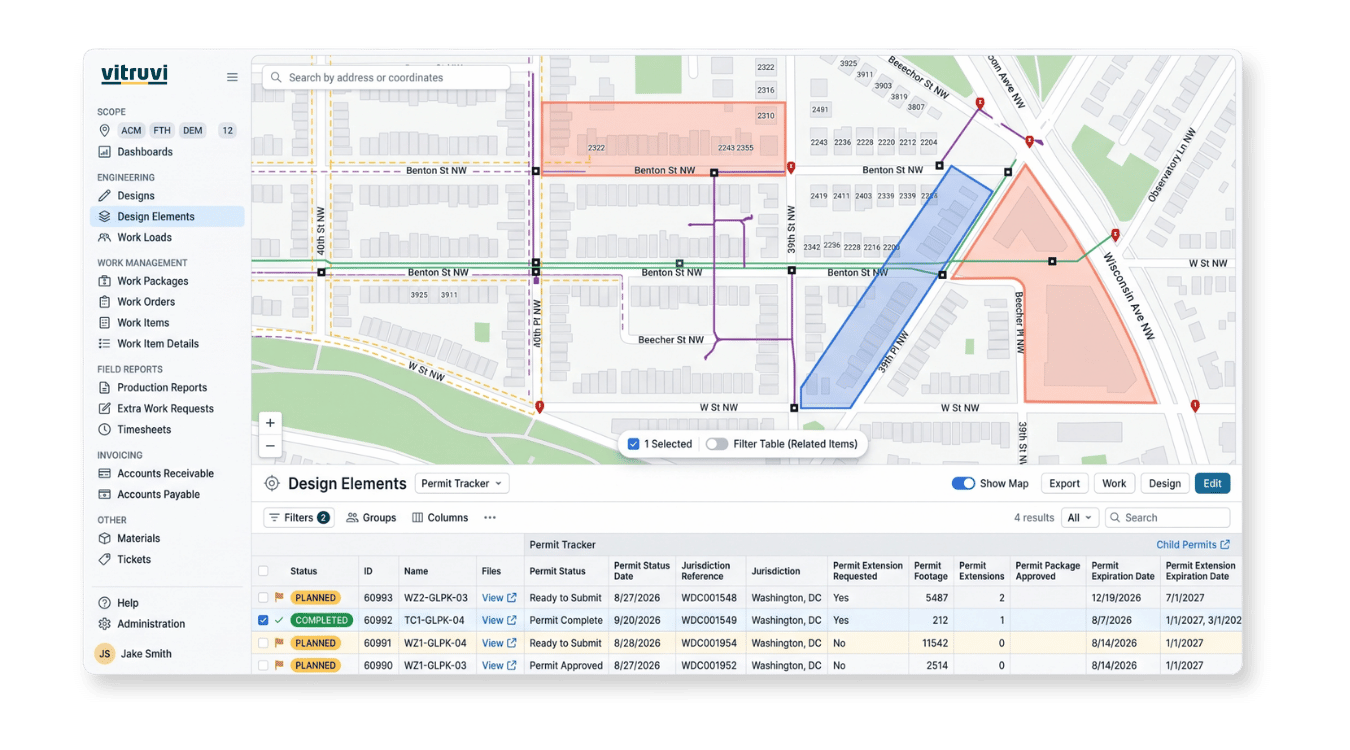
Vitruvi preconstruction view with work organized by project and work package

See Progress Without a Status Call

Know where every work package stands. Progress comes straight from approved field production, so it reflects what crews actually built, not the last spreadsheet update.

  • Live progress: by work item, work order, and work package

  • Map view: see completed and outstanding work in context

  • Plan versus actual: approved production against estimated quantities

  • Drill down: from the project to the work causing delays

“As management, we can go in and quickly see that we’re 75% complete, how much footage is left, whether conduit is done but fiber isn’t, and what still needs to be spliced. All of that can be tracked through Vitruvi.”

Infrastructure Senior Project Manager, CEC

Approve Work and Keep Crews Moving
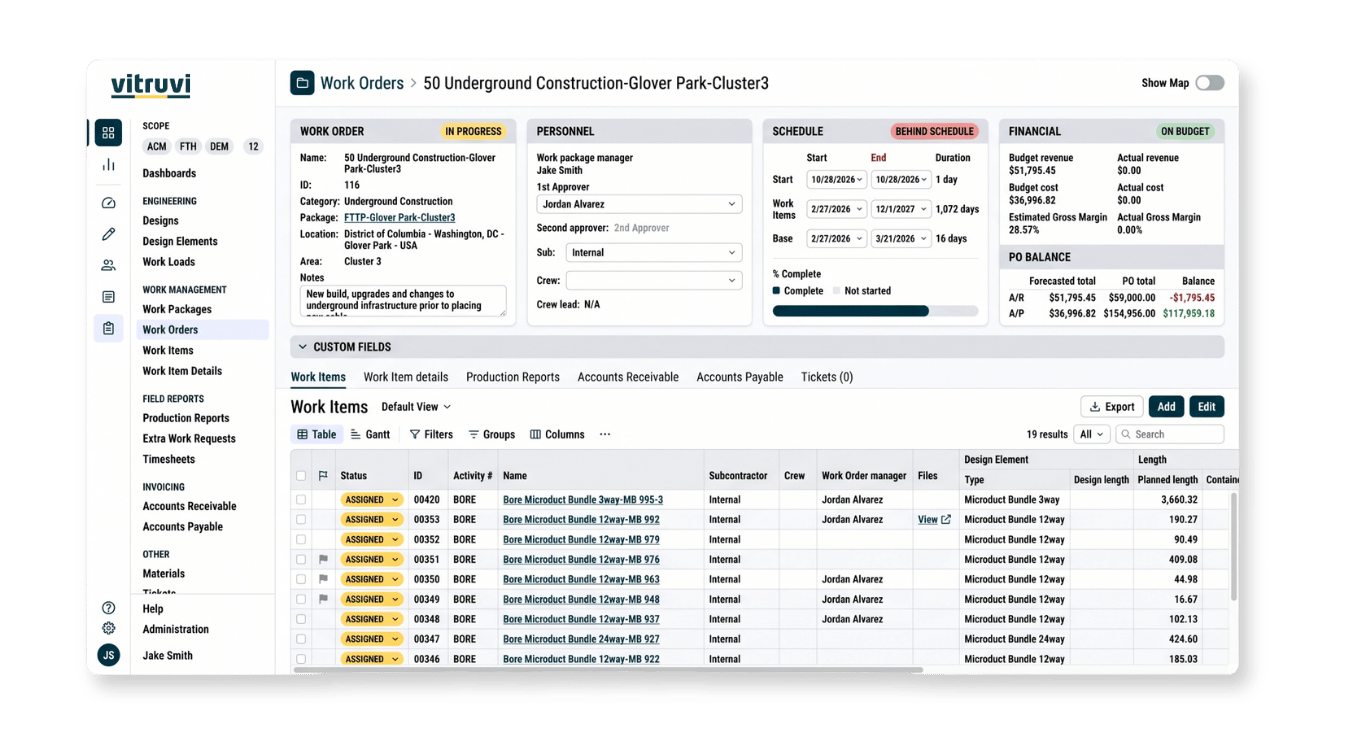
Vitruvi cost view showing budget versus actual progress by work order

Approve Work and Keep Crews Moving

Plan, assign, and approve without going back to a desk. Build work from templates, assign it in bulk, and review field reports as they arrive.

  • Assignment and scheduling: crews and subcontractors, individually or in bulk

  • Manager Mode: switch between reporting and approving with one toggle

  • Multi-step approvals: configured by work type, with rejections returned with comments

  • Resource planning: allocate crews on real production rates

“What used to take a full day now takes about a third of the time. Everything is already there. We just verify it, approve it, and submit it.”

Project Manager, DTI

Spot Problems Early and Close Out Cleanly
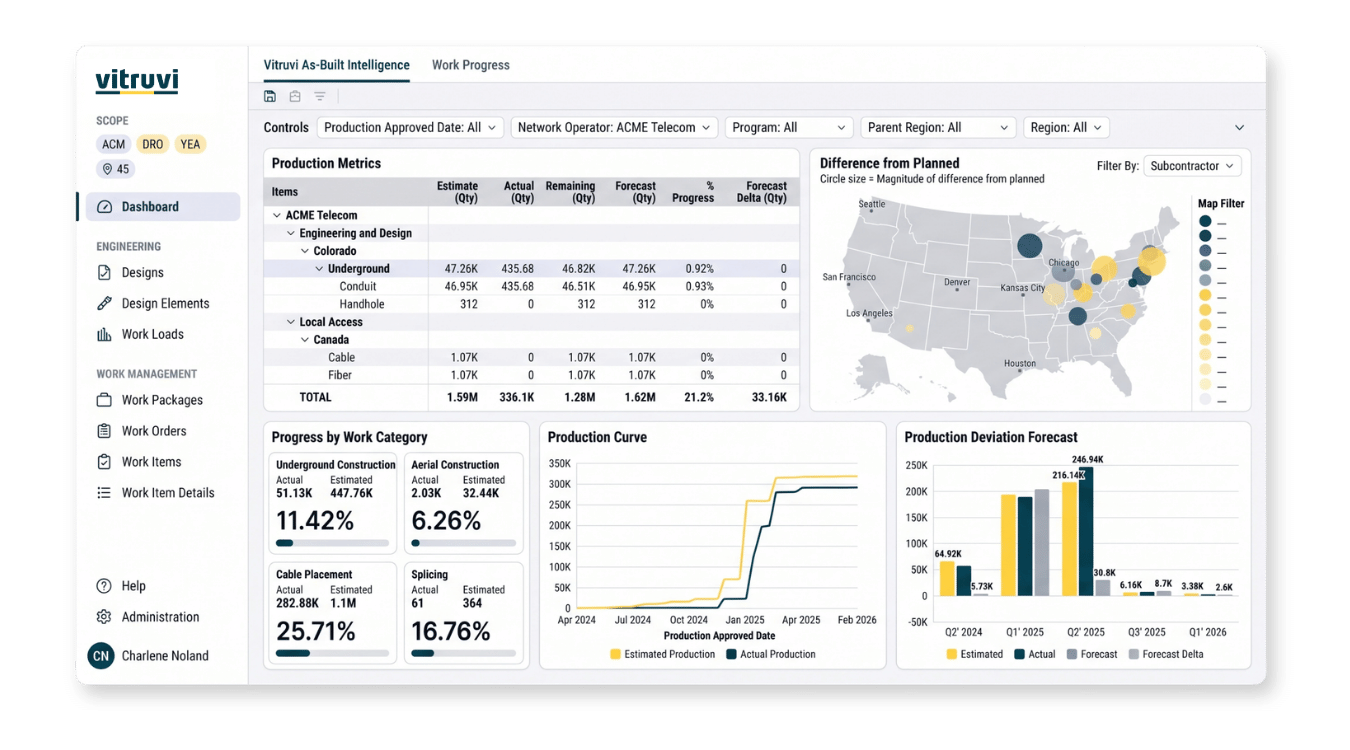
Vitruvi as-built dashboard showing project status and completion

Spot Problems Early and Close Out Cleanly

Catch issues before they become rework. Tickets, checklists, and dashboards keep problems visible, and close-out records build up as crews report.

  • Tickets and extra work: raised from the field with photos

  • QA checklists: completed and recorded with the work

  • System dashboards: production, progress, tickets, and financials

  • Close-out packages: as-built markups, photos, and records by work package

“The dashboards let us quickly see where construction is flowing and whether projects are on track without having to pull reports or ask around.”

Project Coordinator, BAM

Project Delivery Works Best When Everyone Shares the Same Data

Financial Managers

Pay and bill from the quantities you approve, and see budget and cost as production comes in.

For Financial Managers

Engineering Managers

Keep design and as-built data aligned with the work crews report and you approve.

For Engineering Managers

Field Technicians

Give crews the work, the map, and the details they need to report accurately from the job site.

For Field Technicians

“All I have to do is pull up the map and look at the green. I can tell right away if we’re 90% done, 75% done, or if there are areas falling behind. It becomes very apparent.”

FAQs for Project Managers in Construction

What is construction management software for project managers?

It brings planning, assignment, field reporting, approvals, and close-out into one platform. Vitruvi is built for linear infrastructure, so every work item ties back to the design and the map, and progress reflects what crews actually built.

How does Vitruvi help project managers track progress?

Approved field production updates work item and work order progress as crews report. Compare progress against estimated quantities on the map and in dashboards, and drill down to the work that is falling behind.

How do approvals work for field reports?

Supervisors can switch between reporting and approving in the mobile app with Manager Mode, and multi-step approvals can be configured by work type. A rejected report returns to the submitter with comments.

Can I assign and schedule crews and subcontractors in bulk?

Yes. Assign work to crews or subcontractors individually or in bulk, schedule work orders, and use dispatching views to see who is working where. Resource planning uses actual production rates, not estimates.

How are issues and extra work handled?

Crews raise tickets with photos and submit extra work requests from the mobile app, so blockers and scope changes reach the right person right away instead of surfacing at the next status call.

Can field crews report from the mobile app?

Yes. Crews submit production reports, markups, photos, timesheets, and QA checklists from mobile. Reports are saved on the device and sync when connectivity returns, so weak coverage does not stop work from being recorded.

How does Vitruvi support quality and safety?

QA checklists and field-level hazard assessments are part of the mobile workflow, so inspections and safety checks are completed and recorded alongside the work itself.

What dashboards are included for project managers?

System dashboards cover field production, work progress, tickets, and financial summaries. Custom dashboards are available on Business and Enterprise plans. Learn more on the Reporting & Analytics page.

How does close-out documentation work?

As-built markups, annotations, photos, and completion records are captured against each work item as crews report, then consolidated into a close-out package for each work package.

Keep every project moving from start to close-out