

<img height="1" width="1" style="display:none;" alt="" src="https://px.ads.linkedin.com/collect/?pid=678804&amp;fmt=gif">
Skip to content
Multiple fiber construction crews working across a city block Multiple fiber construction crews working across a city block at night

Program Management

Run One Project or Fifty, From a Single View

Vitruvi Program Management gives project and program leaders the visibility to track progress, plan resources, and manage multiple projects without losing sight of the details.

8.3x
Faster project setup
10M+
Homes passed built with Vitruvi
175
Users across multiple markets, scaled from a team of 2
HOW IT WORKS
From Field Production to Program View

Program views in Vitruvi are built from approved field production, so leaders see real progress across every project without waiting on spreadsheet updates.

icon_checkmark-1

Step 1

Organize the Program

Structure work by program, region, work package, and work order, with permissions for every contractor.

Icon for human union

Step 2

Field Data Flows In

Approved production reports update progress at the work item and work order level as crews report.

Icon for diamond

Step 3

Spot What's Behind

Compare progress against plan across projects and regions, and drill down to the work causing delays.

icon-colum-3

Step 4

Rebalance Resources

Plan and reallocate crews using actual production rates, not estimates.

What You Can Do With Program Management

See Every Project

Preconstruction

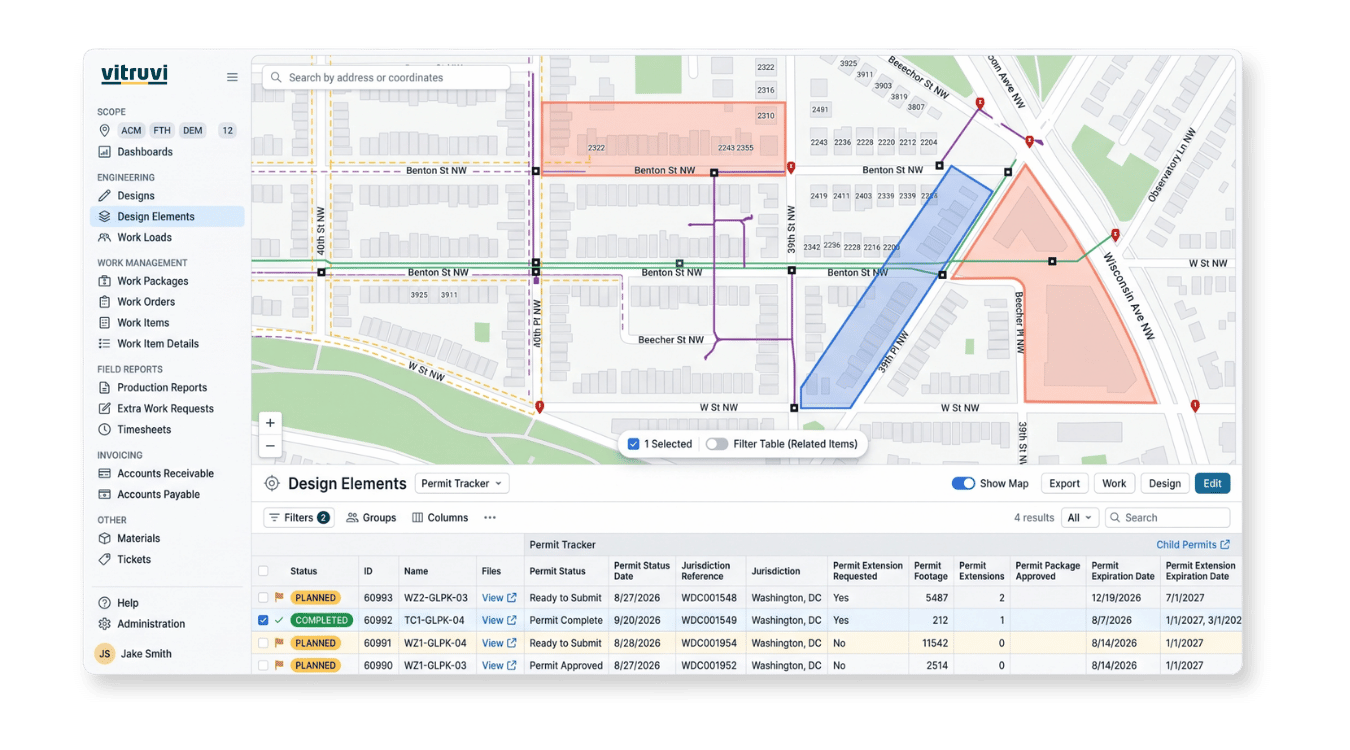
See Every Project

One view across projects, regions, and contractors. Progress comes straight from approved field production, so it reflects what was actually built.

  • Multi-project views: compare every active project side by side

  • Progress tracking: approved production against estimated quantities

  • Early warning: spot projects falling behind while there is time to act

  • Drill down: from program to region, work package, and work item

“As management, we can go in and quickly see that we’re 75% complete, how much footage is left, whether conduit is done but fiber isn’t, and what still needs to be spliced. All of that can be tracked through Vitruvi.”

Infrastructure Senior Project Manager, CEC

Keep Work Moving
Control - Cost

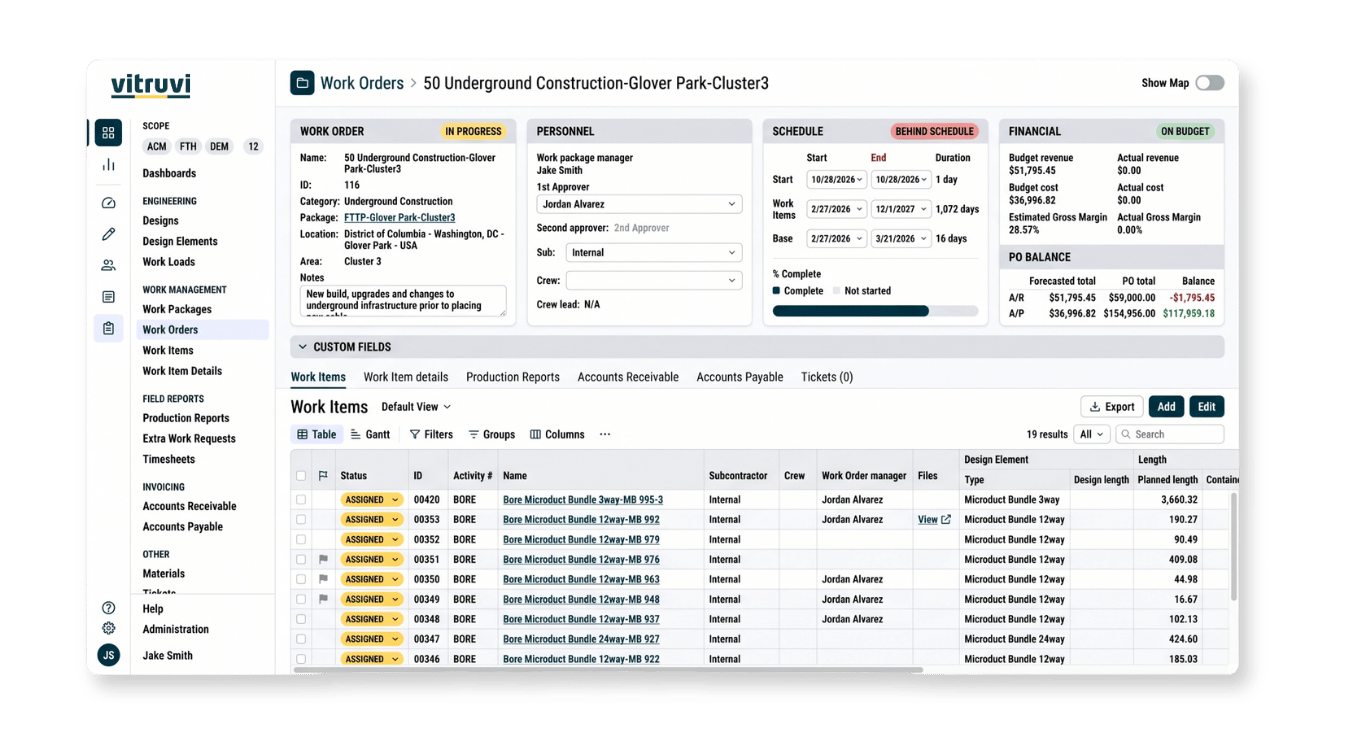
Keep Work Moving

Approve from the field, plan from real numbers. Supervisors approve work without going back to a desk, and crews are allocated on actual production rates.

  • Manager Mode: switch between reporting and approving with one toggle

  • Multi-step approvals: configured by work type

  • Resource planning: allocate crews on real production rates

  • Balanced capacity: avoid over- or under-staffing across projects

“What used to take a full day now takes about a third of the time. Everything is already there. We just verify it, approve it, and submit it.”

Project Manager, DTI

Measure Performance
As-Built-Dashboard-screenshot

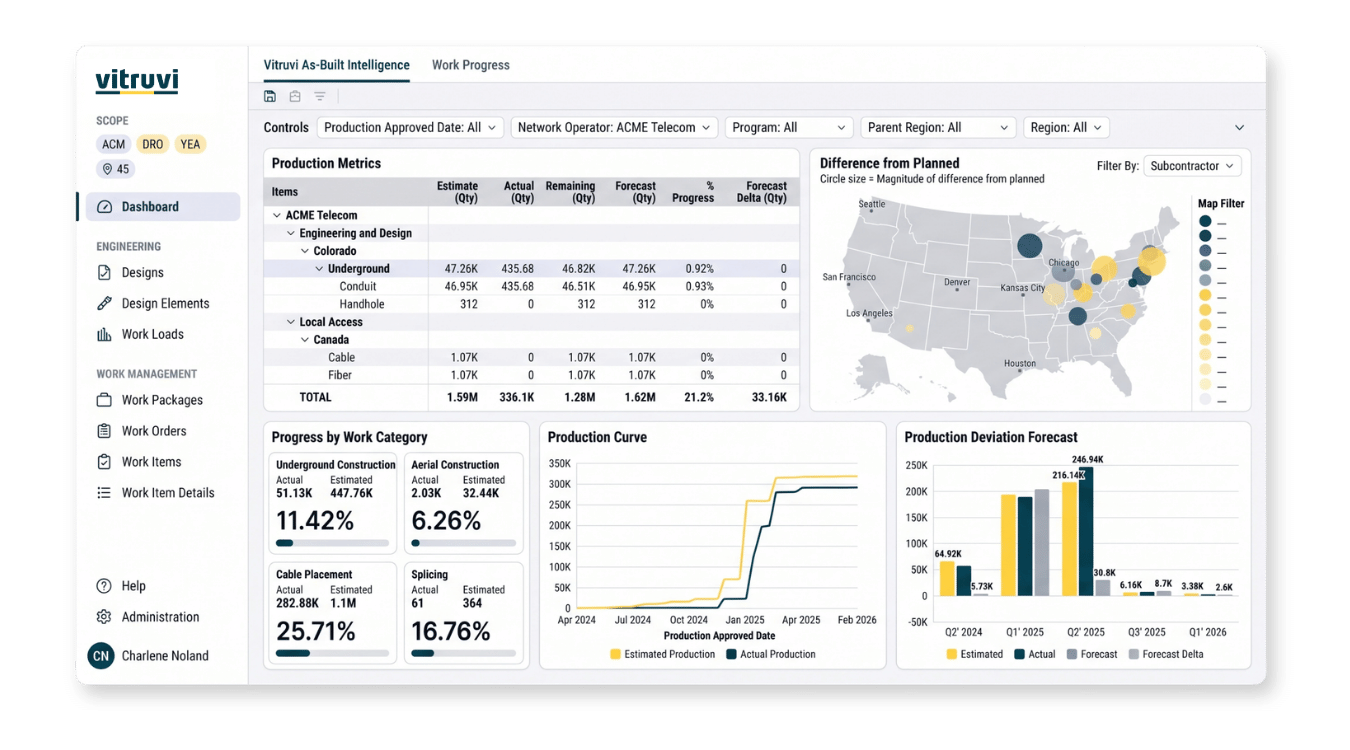
Measure Performance

Know what is working and what is slowing you down. Productivity trends and dashboards show performance by crew, contractor, and program.

  • Productivity analytics: trends on crew and contractor performance

  • System dashboards: production, progress, tickets, and financials out of the box

  • Custom dashboards: build views around your program (Business and Enterprise plans)

  • More detail: See Reporting & Analytics

“The dashboards let us quickly see where construction is flowing and whether projects are on track without having to pull reports or ask around.”

Project Coordinator, BAM

Built for the Teams Who Run the Program

Program & Portfolio Leaders

Track progress across every project, region, and contractor from one view. Spot programs falling behind early and act before schedules slip.

Project & Construction Managers

Monitor production against plan, approve work from the field with Manager Mode, and keep crews focused on the work that matters most.

Operations & Resource Planners

Allocate crews based on real production rates instead of estimates, and balance capacity across projects to avoid over- or under-staffing.

“All I have to do is pull up the map and look at the green. I can tell right away if we’re 90% done, 75% done, or if there are areas falling behind. It becomes very apparent.”

Trusted by Industry Leaders

FAQs About Construction Program Management Software

What is construction program management software?

Construction program management software helps leaders oversee progress, resources, and performance across many projects at once. Vitruvi connects program views directly to field production data, so progress reflects what was actually built rather than the last spreadsheet update.

What is Manager Mode?

Manager Mode lets supervisors switch between submitting field reports and approving their team's reports with a single toggle in the mobile app. Approvals happen from the field instead of waiting until someone is back at a desk.

How does Vitruvi track progress against plan?

Progress is calculated by comparing approved field production to estimated quantities at the work item and work order level. Because the data comes straight from field reports, teams can spot projects falling behind early enough to act.

Can I manage multiple projects, regions, and contractors in one place?

Yes. Vitruvi organizes work by program, region, work package, and work order, so leaders can view every active project side by side and drill down to individual work items. Role-based permissions control who sees what.

How does Resource Planning work?

Resource Planning uses actual production rates from the field to plan and allocate crews. Teams plan around real capacity instead of estimates, which helps avoid over- or under-staffing across projects.

Can approvals require more than one level of sign-off?

Yes. Multi-step approvals can be configured by work type, so reports move through each required reviewer before final approval. A rejection at any level returns the report to the submitter with comments.

What dashboards are included with Program Management?

System dashboards are available out of the box and cover field production, work progress, tickets, and financial summaries. Custom dashboards are available on Business and Enterprise plans. Learn more on the Reporting & Analytics page.

Is Program Management suitable for large, multi-region programs?

Yes. Vitruvi is purpose-built for fiber, utility, and oil & gas programs with large geographies, many crews, and multiple contractors working at the same time.

See Every Project From a Single View

Vitruvi Program Management gives leaders the visibility to track progress, plan resources, and keep every project moving on schedule.