

<img height="1" width="1" style="display:none;" alt="" src="https://px.ads.linkedin.com/collect/?pid=678804&amp;fmt=gif">
Skip to content
Overview of several construction sites across an urban neighborhood Overview of several construction sites across an urban neighborhood at night

Reporting & Analytics

See What's Happening Across Every Project, in One Place

Vitruvi brings dashboards, analytics, and exportable data together so program leaders, finance teams, and operators can see performance across projects without waiting on a report.

10M+
Homes passed tracked in Vitruvi
8.3x
Faster project setup
HOW IT WORKS
From Field Report to Every Dashboard

Reporting in Vitruvi is built on the same data crews submit and managers approve, so every team works from current numbers instead of end-of-week spreadsheets.

icon_checkmark-1

Step 1

Field Data Is Captured

Crews report production, quantities, and photos from the job site as work happens.

Icon for human union

Step 2

Approvals Update the Numbers

Dashboards refresh as reports are approved, so progress and financials stay current.

Icon for diamond

Step 3

Each Team Sees Its View

System and custom dashboards give leaders, finance, and operations the metrics they need, with role-based access.

icon-colum-3

Step 4

Data Goes Where You Need It

Export to Excel, schedule reports, and feed accounting, ERP, and BI systems.

What You Can Do With Reporting & Analytics

See It at a Glance

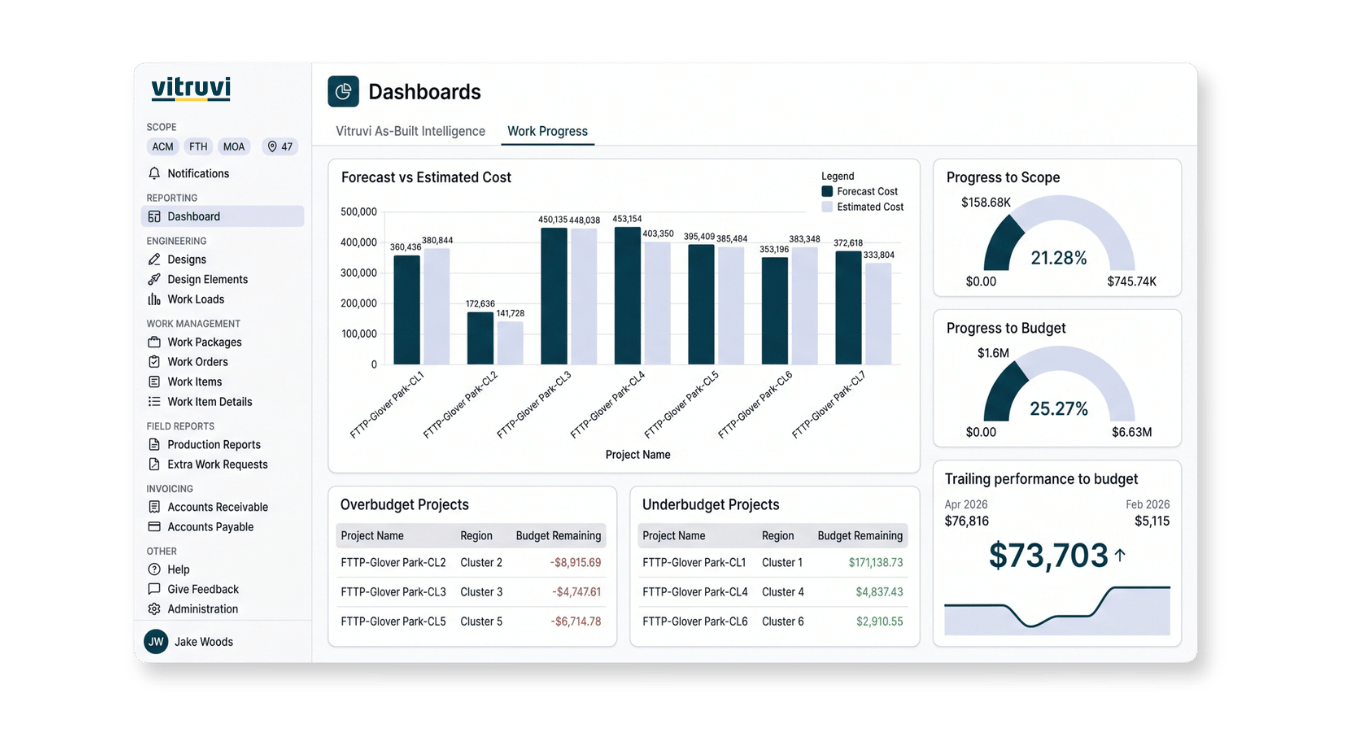
Work Progress Dashboard Screenshot

See It at a Glance

Dashboards that are ready on day one. System dashboards cover the common metrics out of the box, and custom dashboards let each team build the view it needs.

  • System dashboards: production, progress, tickets, and financial summaries with no setup

  • Custom dashboards: combine project, program, and performance metrics (Business and Enterprise plans)

  • Always current: numbers update as reports are approved

  • Shared or private: role-based access to the underlying data

“With Vitruvi, we can push status, literally daily, with real-time status of work completed, to give us immediate progress insight. Essentially, if it’s not in Vitruvi it didn’t happen.”

Director of Engineering and Construction Systems, Wyyerd Fiber

Understand Performance
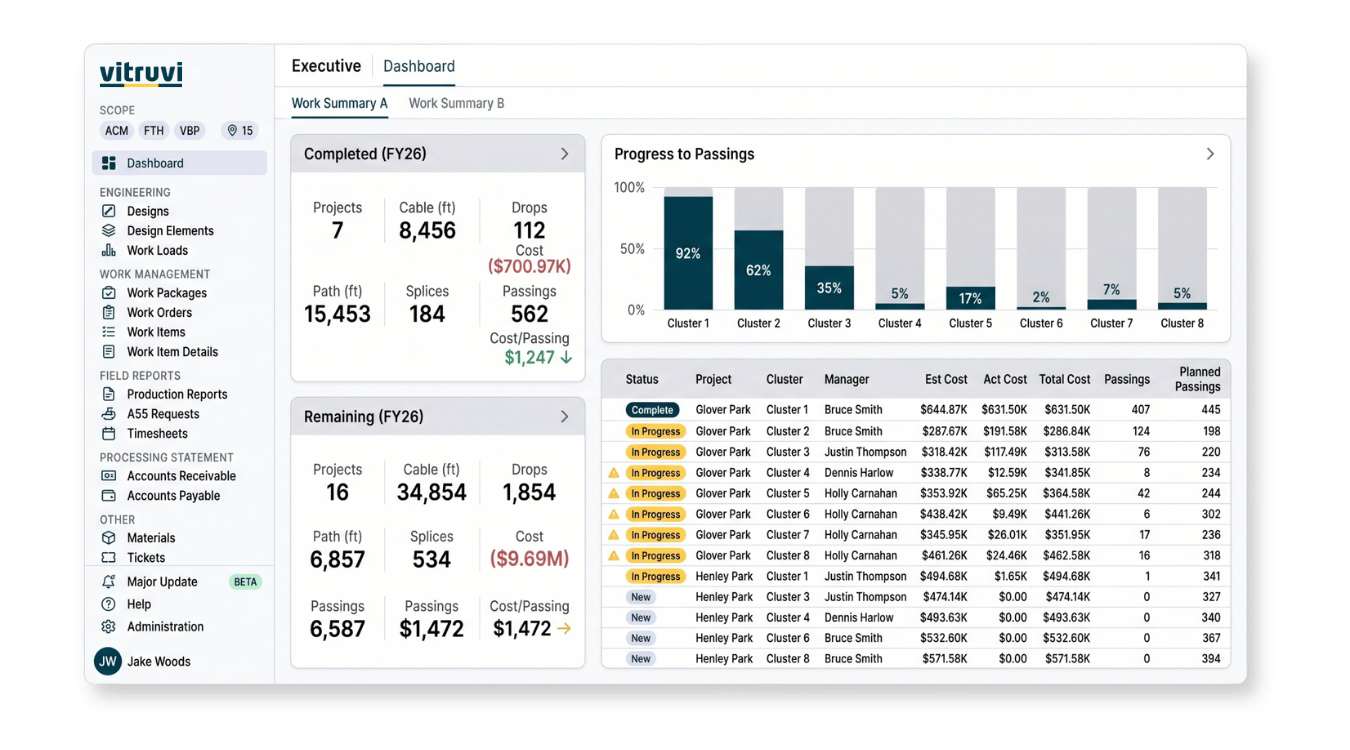
KPI Dashboard Cost per passing screenshot

Understand Performance

Know what is working and where money is going. Productivity trends and project financials come from the same verified production data.

  • Productivity analytics: trends by crew, contractor, and program

  • Find the bottlenecks: see what is slowing programs down

  • Project financial dashboards: budget, cost, and billing by project in real time

  • Saved finance views: accruals by contractor, booked costs, pending approvals

“Instead of digging through stacks of paper, we can quickly see how a crew has been performing day to day and week to week.”

Systems Administrator, EPC

Take Your Data Anywhere
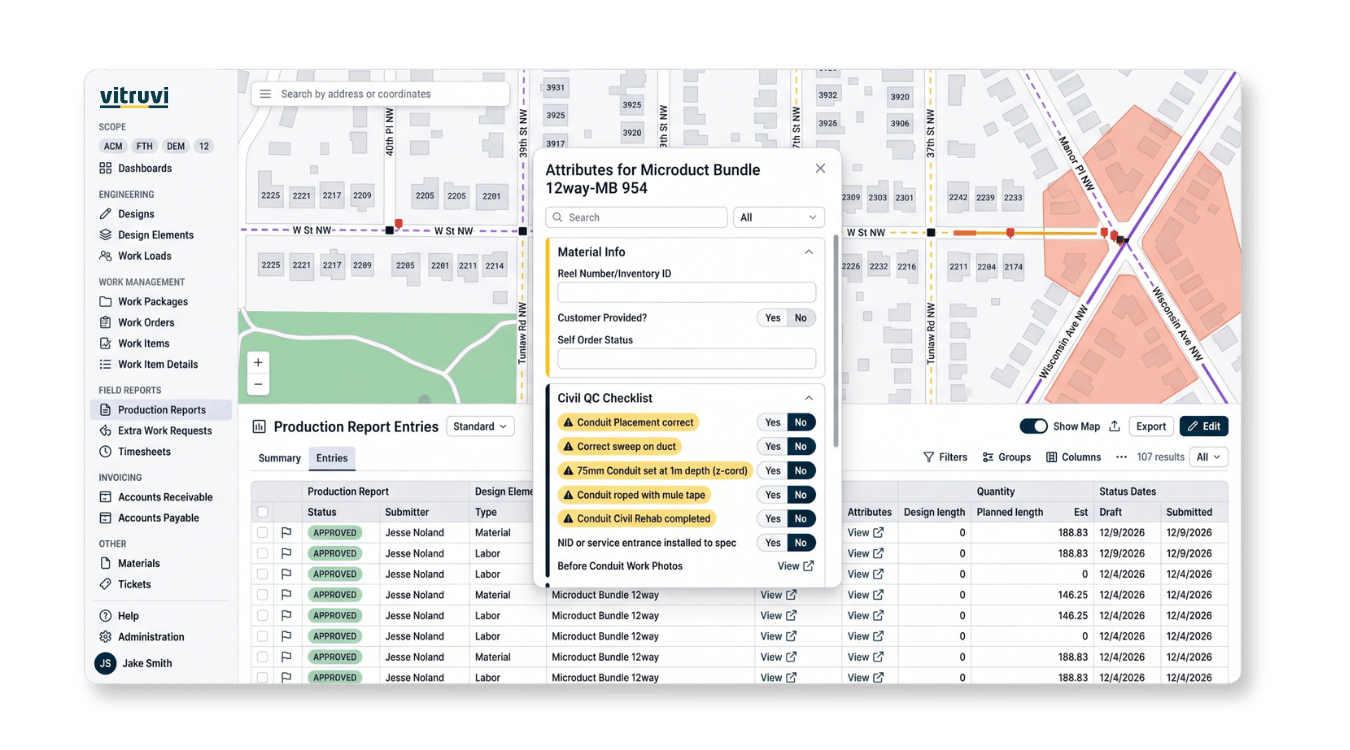
Control - Quality

Take Your Data Anywhere

Your data, in the tools you already use. Export to spreadsheets, schedule reports, and feed accounting, ERP, and BI systems without re-keying.

  • Excel exports: download any table view, plus a Windows Excel add-in

  • Scheduled exports: saved views emailed automatically

  • Financial exports: direct to accounting and ERP systems

  • Data extraction and API: feed BI tools and data warehouses

“It takes minutes versus hours to kind of get everything lined up.”

Infrastructure Senior Project Manager, CEC

Built for the Teams Who Need the Numbers

Executives & Program Leaders

Get a clear view of performance across every project without waiting on a report. Make decisions based on current field data, not last week's numbers.

Finance Teams

See budget, cost, and billing by project in real time, and export financial data directly to accounting and ERP systems

Operations & Data Analysts

Build custom dashboards, analyze productivity trends, and feed structured project data into the BI tools your organization already uses.

“My Senior Director of Construction can pull it up himself and see a bird’s-eye view of projects across the state, without having to ask for updates.”

Trusted by Industry Leaders

FAQs About Construction Reporting and Analytics Software

What is construction reporting and analytics software?

Construction reporting and analytics software turns field, program, and financial data into dashboards and reports teams can act on. Vitruvi brings that data together in one place, so leaders see performance across projects without waiting for someone to build a report.

What do system dashboards include?

System dashboards are available out of the box with no setup required. They cover field production, work progress, ticketing, and financial summaries, and can be configured as your needs grow.

How are custom dashboards different from system dashboards?

Custom dashboards let you build views around the project, program, and performance metrics that matter most to your team, combining data across projects. Custom dashboards are available on Business and Enterprise plans.

How current is the data in Vitruvi dashboards?

Dashboards update as crews submit reports and managers approve them. Because data flows directly from the field, teams work from current numbers instead of end-of-week spreadsheets.

Can I export data to Excel?

Yes. Any configured table view can be downloaded as a spreadsheet, and saved exports can be scheduled to email recipients automatically. A Windows Excel add-in is also available for pulling data directly into worksheets.

Can Vitruvi data feed our BI tools or data warehouse?

Yes. Structured data extraction and API access let teams feed Vitruvi data into business intelligence tools, data warehouses, and other downstream systems for custom analysis.

What financial reporting is available?

Project financial dashboards show budget, cost, and billing by project in real time. Finance teams can also build saved views such as accruals by contractor, booked costs, and pending payment approvals.

Who can see which dashboards and reports?

Dashboards can be shared across the organization or kept private, and role-based permissions control access to the underlying data. Each team sees the information relevant to their role.

Get the Full Picture Without Waiting on a Report

Vitruvi brings dashboards, analytics, and exportable data together, so every team works from the same current numbers.